

Yellowfin vs Power BI: What's the Difference?
Adopting a new business intelligence (BI) solution requires a thorough understanding of its feature-set and functionality in order to ensure analytics is integrated into your business as seamlessly as possible and that the value of your new tool is realized.
Previously, we have covered how Yellowfin can be used with Power BI as a complementary solution. This article is instead focused on helping you understand the exact differences in functionality between the latest release versions of Yellowfin and Microsoft Power BI.
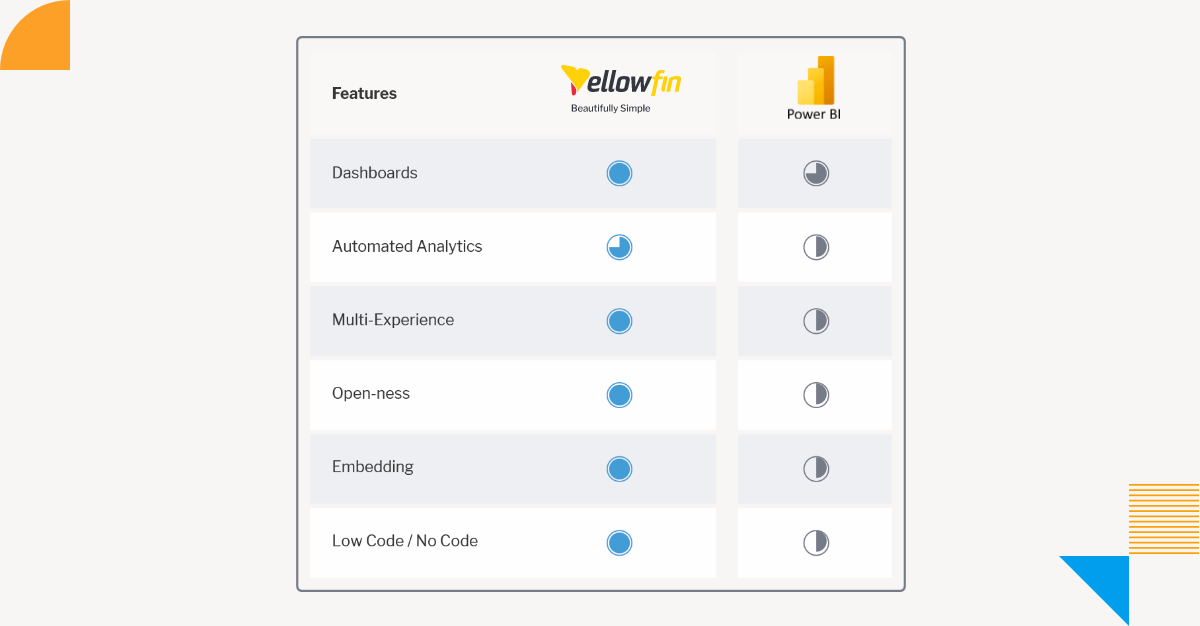
1. Data Protection
Power BI is harder to deploy as self-service business intelligence within an organization, as all data is visible to a content creator. For example, a user creating a human resources (HR) report has access to all employee information, so the datasets must be separated to protect confidential data that you do not want to be available for unauthorized users, such as payroll. Currently, the only two methods to restrict data access for all users (including content creators) is to implement row-level security (RLS) on the data source level (which for some data sources can be done through Power BI) or use separate Workspaces. However, more datasets and more workspaces means more things to manage, which makes administration more complicated.
In comparison, Yellowfin allows data to be made available to content creators with RLS and column-level security (CLS) applied using Access Filters, so it can be securely deployed as self-service BI within an organization without worrying about confidential datasets or content being visible to unintended or unauthorized content creators of dashboards and reports without the appropriate permissions. It also means you can provide secure data to report writers without having to separate datasets and increase administration complexity or workload.
Overall, it is by far more complicated to control a database environment with Power BI than one with Yellowfin, so if you want to restrict access to data, maintain stronger governance and manage databases easier, Yellowfin is the better choice.
Learn More: What is Data Governance? Accountability and Quality Control in Analytics
2. Deployment Speed
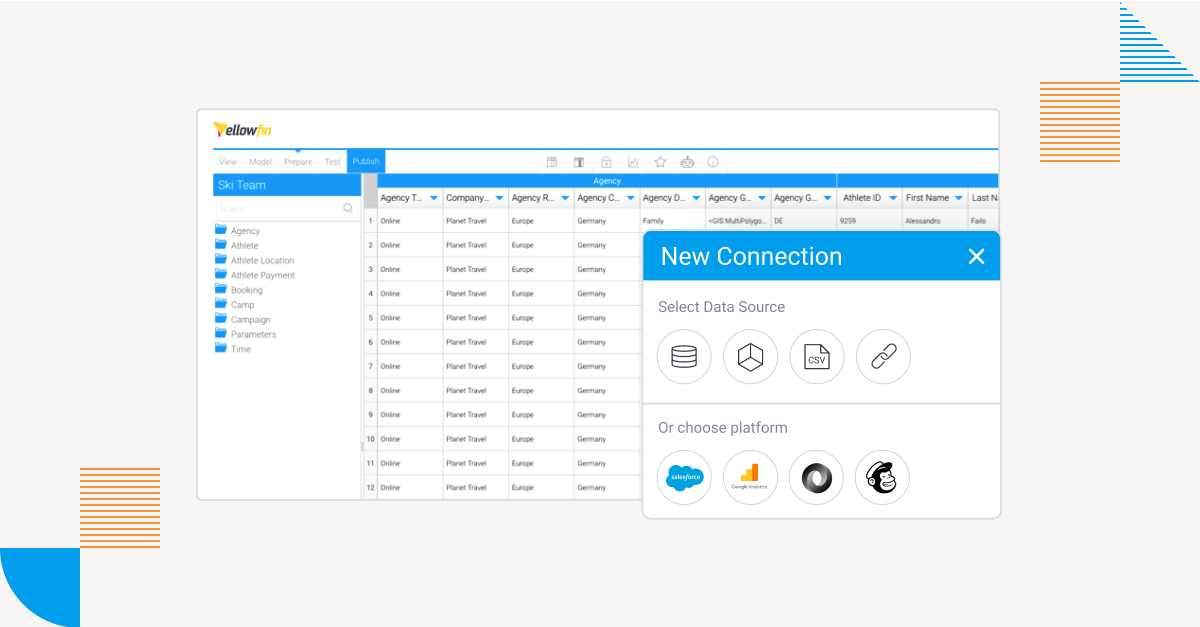
Power BI Desktop allows users to connect to any database or import data from Microsoft Excel spreadsheet files, which means people can use data (insecure or unreliable) that your organization does not necessarily allow to use. While you can set operational rules in place to use an authorized dataset on the workspace, there is no way to completely prevent users from using unauthorized data.
Yellowfin combats this by allowing administrators to manage available data sources from one centralized place, preventing users without the appropriate permissions to manage data sources from creating content (dashboards and reports) using unauthorized data, allowing them to conduct analysis based on trusted data sources.
3. Multitenancy
When building an external service, it is a requirement to be able to have a multi-tenant configuration with separate tenants for each customer.
In Power BI, there is no concept of a tenant, so you need to deploy a workspace as if they were a tenant, which requires uploading content each time a tenant is created. Since workspace is also used to separate access to users’ contents, it is easy to expect that multiple workspaces would constitute a single tenant, but there is currently no mechanism to manage this.
In comparison, Yellowfin has a client organization feature designed for multi-tenant use. Tenants have a two-tier parent-child structure, with a default organization and a client organization. The former is the parent tenant, and can manage client organizations accordingly.
Learn More: What is Multi-Tenancy?
4. Editing and Publishing
In order to share content created in Power BI Desktop, it must be uploaded to an appropriate workspace in the Power BI service. As access rights are set for each workspace, users must select the one that corresponds to their access rights and upload the contents there. Contents created in BI tools need to be adjusted as your organization’s metrics change. Managing both contents changing along with operations and the workspace to which users upload them can become more complex and cumbersome as your organization grows.
Yellowfin can be operated entirely in a Web-browser, eliminating the need for desktop tools. The contents you create are stored and published on the server, meaning your end-users always have access to the latest contents. Since there is no need to manage content versions, an administrator can focus on changing access rights in response to organizational changes.
5. Role-Based Access and Workspace Permissions
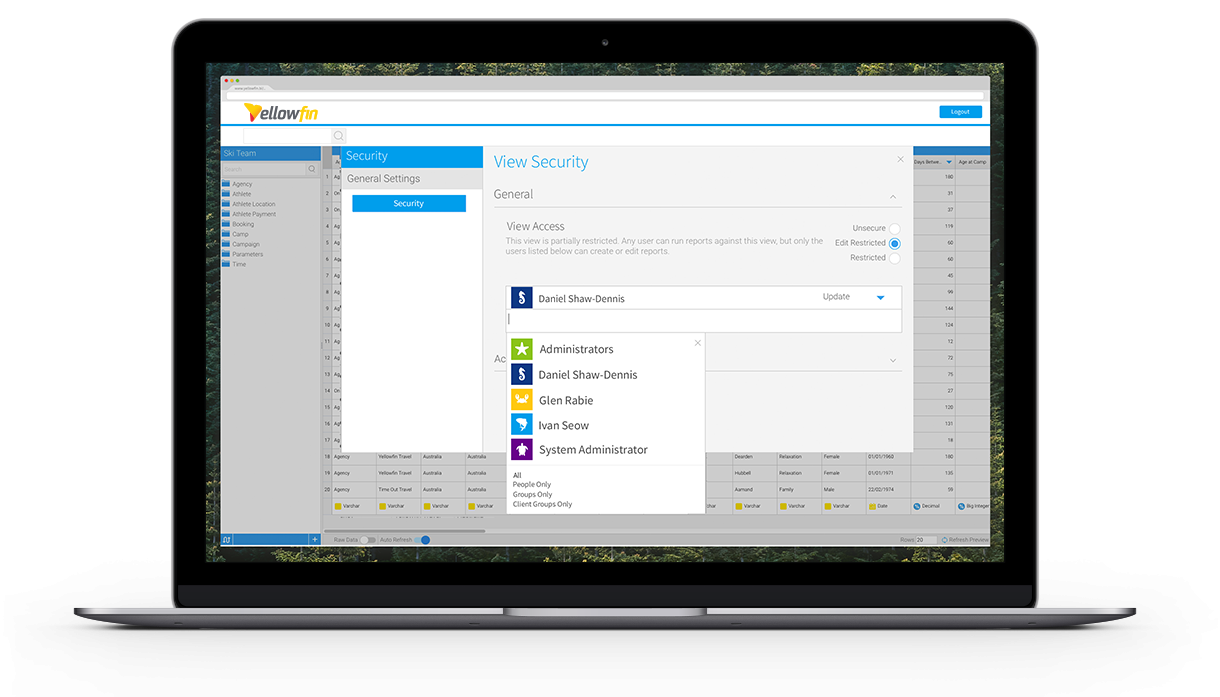
Power BI workspace access rights must be set by selecting from four predefined roles and cannot be fine-tuned. The permissions defined for each role cannot be customized at the time of writing.
Roles in Yellowfin can be created with over 130 customizable permission settings. An admin can even create unusual roles, such as a ‘Data Source Administrator’ who cannot create reports, or a ‘Report Viewer’ who is only allowed to manage users.
6. Data Uploads
Currently, Power BI only allows data uploads of up to 10GB to a shared workspace. The uploaded data is automatically compressed, but if data reaches the limit after compression, it must be uploaded to another workspace. Therefore, administration becomes more complicated as an admin needs to separate workspaces by data access rights and data capacity. This problem can be solved, but you have to sign up for premium capacity (additional cost) which allows uploading of data up to 100TB.
Yellowfin operates in-memory and data agnostic, meaning there is no limit to how much data it can handle. By using database products according to the amount of data as data sources, analysis can be performed with optimal performance. Yellowfin’s mechanism is highly compatible with data warehouse products that can process and return large amounts of data at high speed, which is a considerable advantage that in-memory BI tools do not have.
7. Data Alerts
Power BI does not allow alerts to be sent to other users. It must be set by users receiving them. You can also only set alerts for three types of visualizations: tiles, gauges, and KPIs. If you want to use the alert feature, you must create one of these three.
In Yellowfin, you can use the Broadcast feature to send alerts not only to yourself but also to other users. In addition, by creating a list of recipients as a Yellowfin report, you can also notify alerts to users in the report. The Broadcast feature allows you to attach report results to an email in the following file formats: HTML, PDF, TEXT, CSV, XLSX, DOCX. PDF can also be password protected. Alerts (broadcasts) can also be set for any type of visualizations. Broadcasts are set for reports, so it does not matter what type of tables or charts the report has.
Yellowfin vs Power BI FAQs: Features, Security, and Deployment
What is the difference between Yellowfin and Power BI?
Yellowfin and Power BI are both business intelligence platforms, but they differ in areas like data governance, multi-tenancy, deployment models, role-based permissions, automated alerts, and analytics workflows. Your organization's reporting, security and scalability needs will dictate the right choice.
Is Yellowfin better than Power BI?
Both platforms have their strengths. Power BI is often preferred in Microsoft-centric organizations. Yellowfin is known for its strong data governance, embedded analytics, data storytelling and multi-tenant capabilities.
Which BI tool is better for embedded analytics?
Designed for embedded analytics and multi-tenant deployments, Yellowfin is popular with software vendors and SaaS providers. Power BI can also be embedded, but may need some additional configuration depending on the use case.
Does Power BI support multi-tenancy?
Power BI doesn’t offer a multi-tenancy capability like some analytics platforms. Organizations can have many customer environments, each with its own workspace and administrative controls.
What is multi-tenancy in business intelligence?
Multi-tenancy allows a single analytics platform to securely serve multiple customers, departments, or organizations while keeping data, reports, and permissions separated between tenants.
How does Yellowfin handle data governance?
Yellowfin provides governance features such as role-based access controls, row-level security, and centralized administration to help organizations manage data access and maintain compliance requirements.
Can Power BI handle large datasets?
Yes, Power BI can manage large datasets but organizations should be aware of the storage limits, performance expectations and licensing tiers when managing and scaling their data environments.
Which BI platform offers more customizable user permissions?
Business intelligence platforms vary significantly in permission management. Organizations evaluating BI tools should compare role customization, security controls, administrative flexibility, and access management capabilities before making a decision.
What should businesses look for when comparing BI tools?
Key evaluation criteria include ease of use, data governance, scalability, security, deployment options, embedded analytics capabilities, reporting features, integration support, total cost of ownership, and user adoption.
How do I choose the right business intelligence platform?
Start by identifying your reporting needs, security requirements, data sources, user base, and long-term analytics strategy. Comparing factors such as governance, scalability, collaboration features, and deployment flexibility can help determine the best fit for your organization.
Learn More: What is Yellowfin Broadcast? - Adding Calls-to-Action to your BI
Next Steps: See Yellowfin for Yourself
Learn how Yellowfin stacks up against Microsoft's Power BI solution in more hands-on detail with our free demo experience.